This class is jam packed with almost three hours of information...

When you take the class, broken down in to bite sized lessons, not only will you walk away with your own wall calendar template in Affinity, you'll walk away with knowledge on tools that can be used in future projects as well. Take a look at what you'll learn below...

Want to make a variety of calendars, quickly and efficiently, year after year?

In this class, I will introduce you to the tools you need to do just that. Over the course of the class, you will learn...

  • Considerations when researching print on demand options and what to look for before downloading a template.

  • How master pages can help create set layouts once, including guides and margins, to apply to multiple content pages.

  • Take a deeper dive in to the tools will help you create the calendars more efficiently: text and picture frames, text styles and the data merge layout tool.

  • The layout of the data merge panel and how to get you data hooked up to the template, making the process work in minutes.

  • The benefits of saving a neutral template that you can use year after year, to generate multiple calendars with different themes in minutes.

  • How to generate the data merge as well as make post merge adjustments, and export your calendar to get it ready for print.

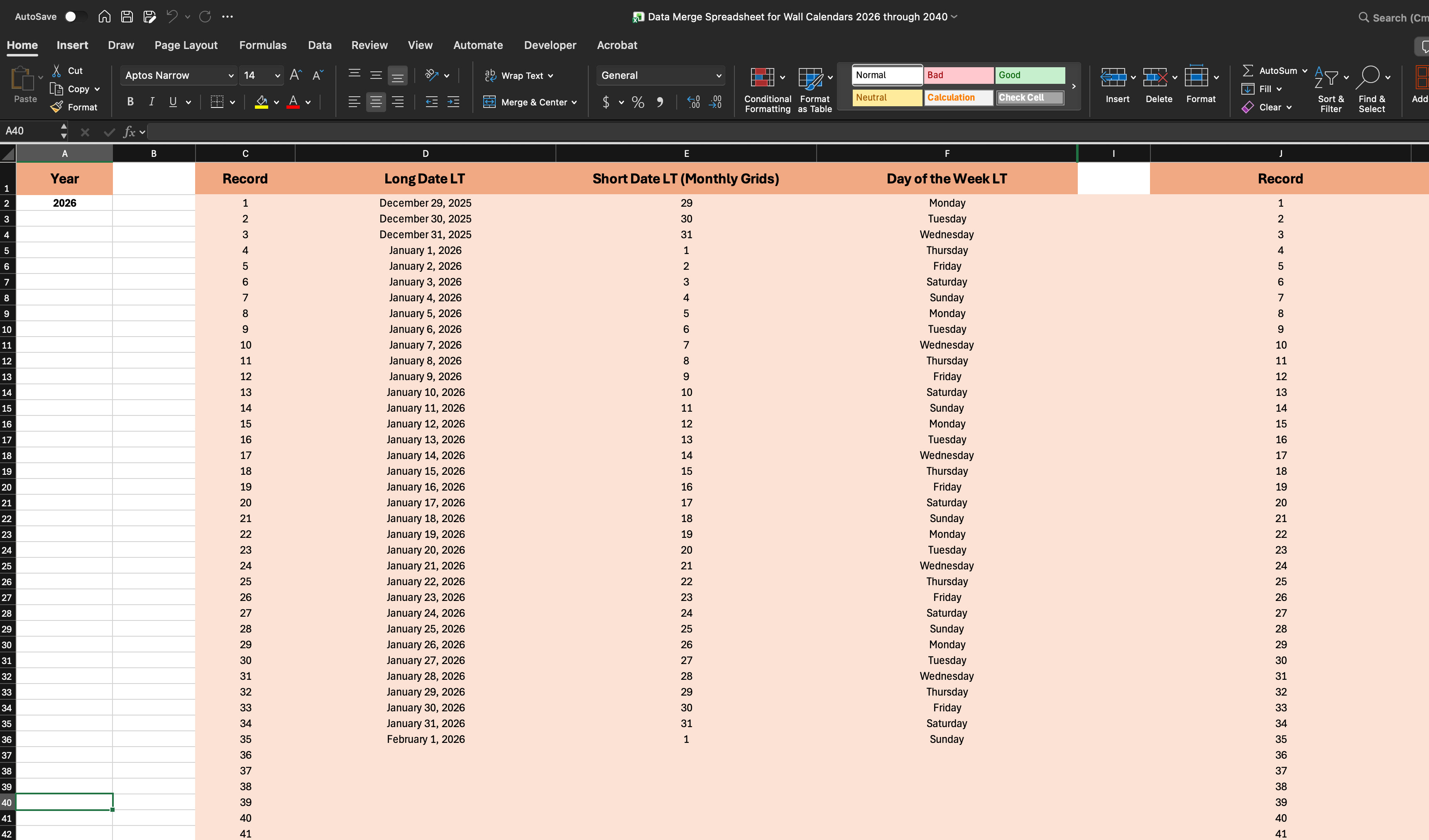
As a thank you for taking the class...

I am providing you with an Excel spreadsheet that has all of the data you will need to create calendars through the year 2040.

Take a peek at what you'll learn...

Click the play button and watch the course intro video.

Course curriculum

    1. Welcome to class!

      FREE PREVIEW
    2. The Class Project

    3. Downloads for Class

    1. Print on Demand Considerations & Downloading Templates

    1. Working with Master Pages

    2. Setting Up Guides on the Master Pages

    1. Picture Frames in Affinity

    2. Text Options in Affinity

    3. Text Styles in Affinity

    1. Adding Text Placeholders to the Master Pages

    2. Creating the Monthly Grid with Tables

    1. Data Merge Layout Tool

    2. Data Merge Spreadsheet

    3. Data Merge Panel

    4. Creating 12 Calendar Pages with Data Merge

About this course

  • $50.00
  • 23 lessons
  • 3 hours of video content

Whether you're creating calendars for personal use, or as a way to share a collection of your original artwork...

Join instructor Tracey Capone in class, and learn how you can create a variety of calendars, in different sizes and themes, in no time, by using Affinity to create your on wall calendar templates.